How Do I Enroll in a Class Block?
Add Class Block
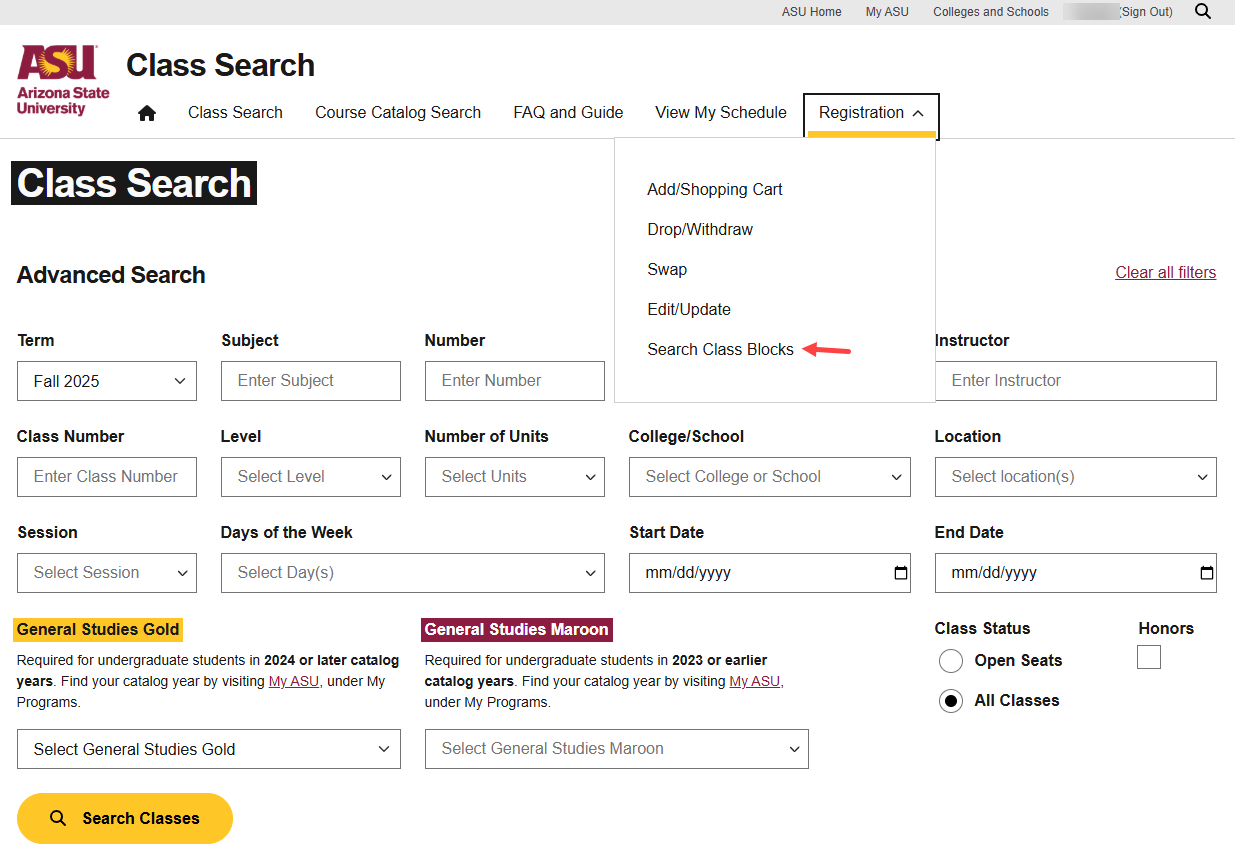
Students enroll in class blocks through My ASU self-service registration. Only class blocks that they are
eligible to enroll in will appear for selection. The student logs into My ASU and clicks on the Registration tab,
and then on Search Class Blocks.
Student Navigation: My ASU>Class Search>Advanced Class Search>Registration menu>Search Class Blocks
Alternatively, the student can click on Add Class Block if already in the self-service registration menu.
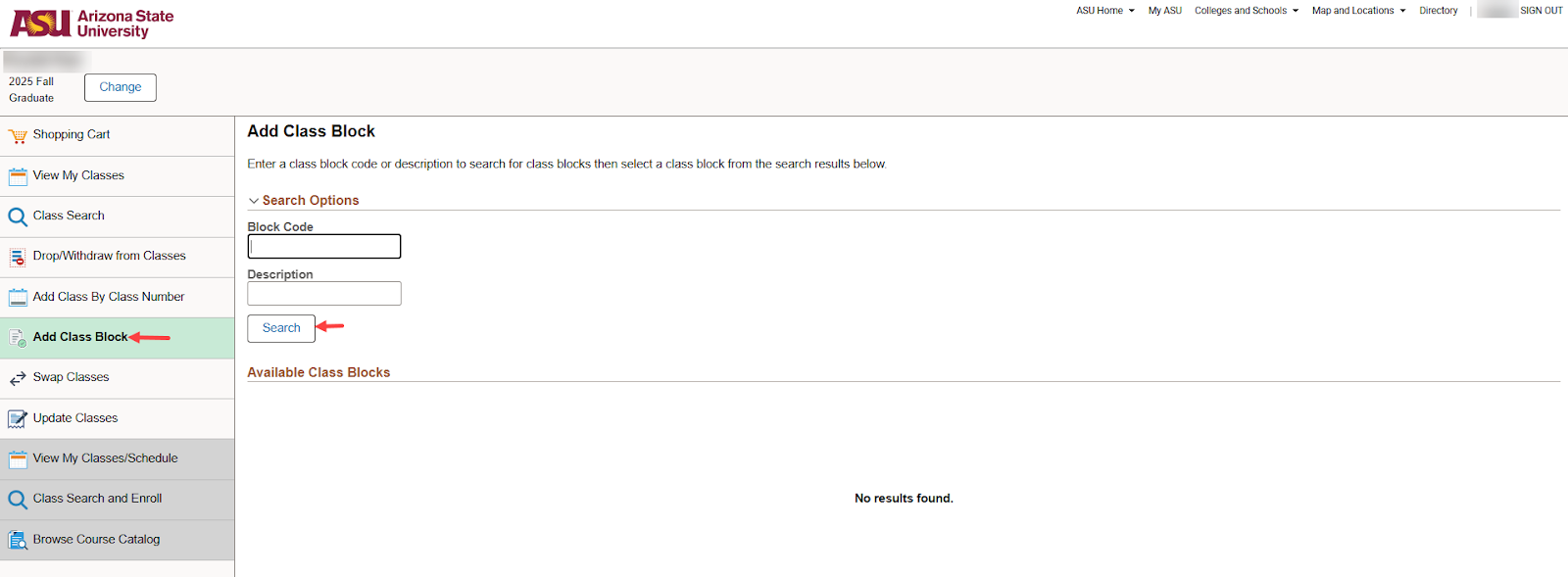
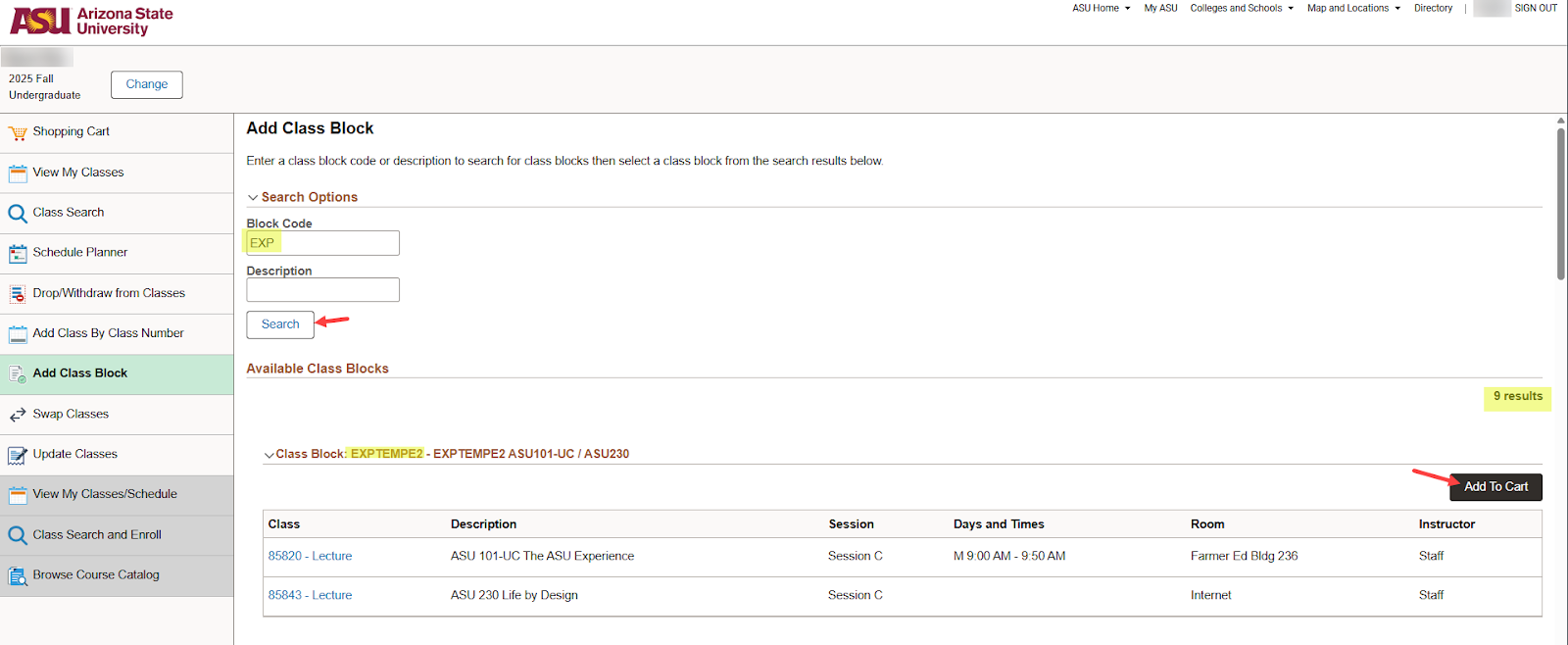
Class blocks that the student is eligible to enroll in will appear in the Available Class Blocks section.
-
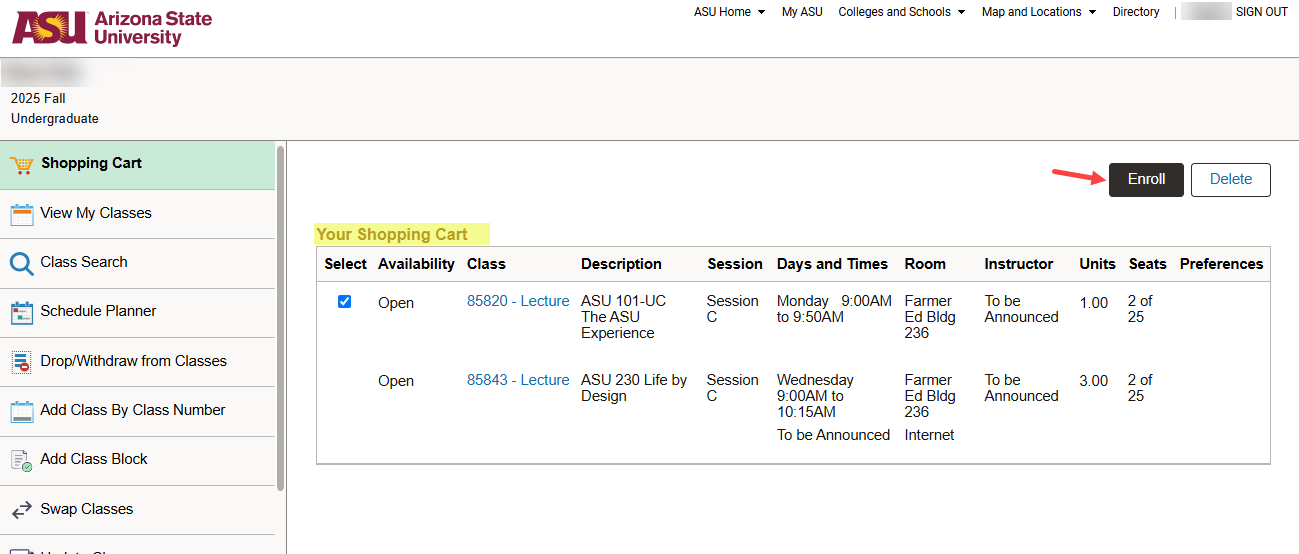
The page navigates to the student’s Shopping Cart
-
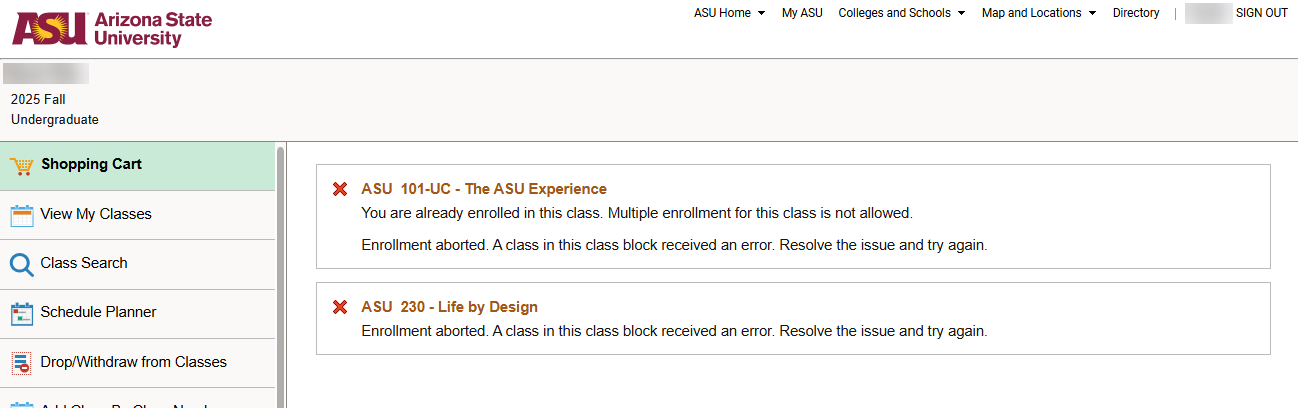
After clicking Enroll, the student is provided a message for each class in the class block (and
any other classes in the shopping cart) as to enrollment status.
Related Articles:
