Where do your @asu.edu email addresses send to?
You can have your @asu.edu e-mail addresses deliver to one of the following:
-
An ASU provided account - ASU Gmail.
-
If you do not currently have an ASU Gmail account, an existing personal e-mail account that you have created (e.g Yahoo, Outlook.com, Gmail.com).
Where are your @asu.edu email addresses currently delivering to?
-
Go to your My ASU portal.
-
Select the "Profile" tab in the top navigation.
-
Scroll down to "Contact Details" and click on the dropdown menu option labeled "Email."
-
Click on Manage your ASU Email address.
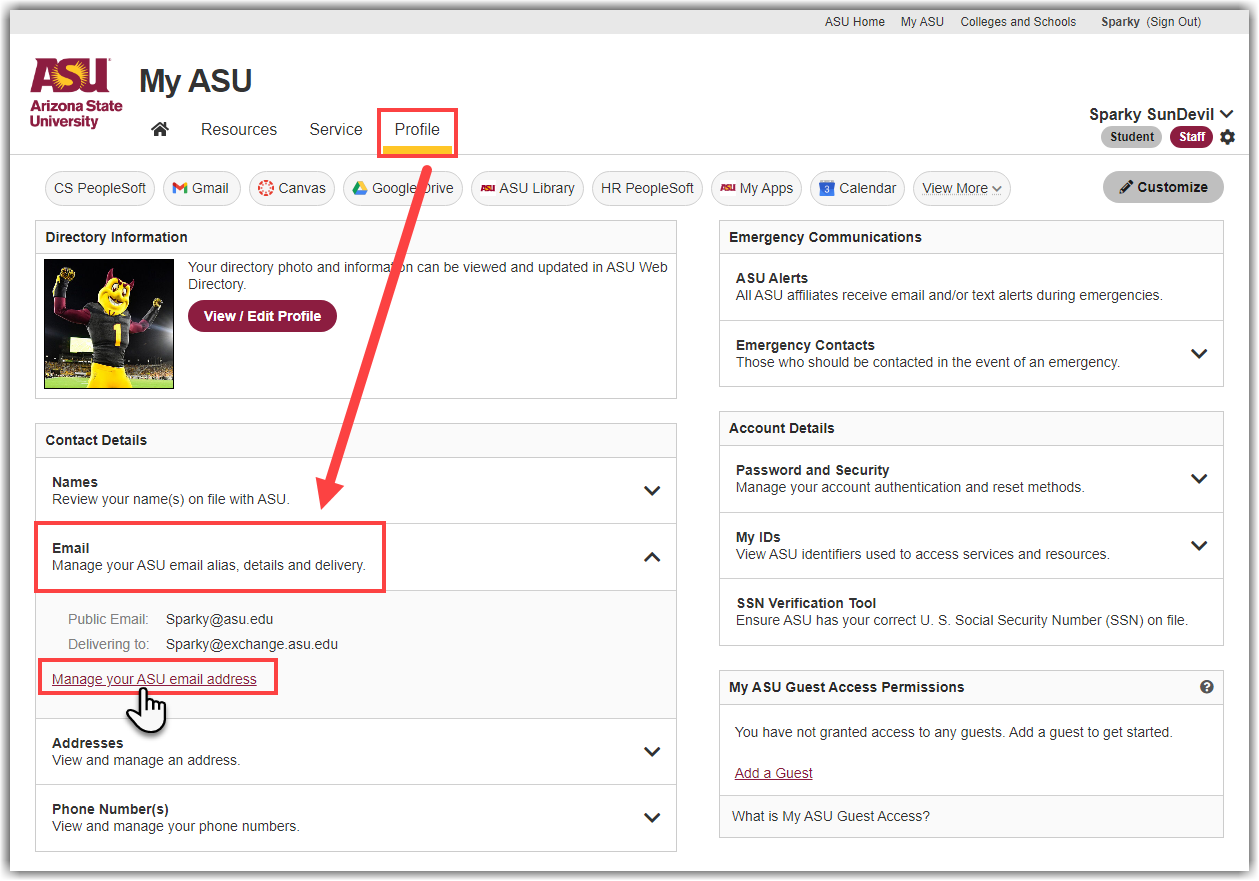
How to change where your @asu.edu email addresses deliver email to:
-
Go to your My ASU portal.
-
Select the "Profile" tab in the top navigation.
-
Scroll down to "Contact Details" and click on the dropdown menu option labeled "Email."
-
Click on Manage your ASU Email address.
-
Click on the email you wish to change the delivery address of by clicking on the “Manage” on the right hand side of the email address.
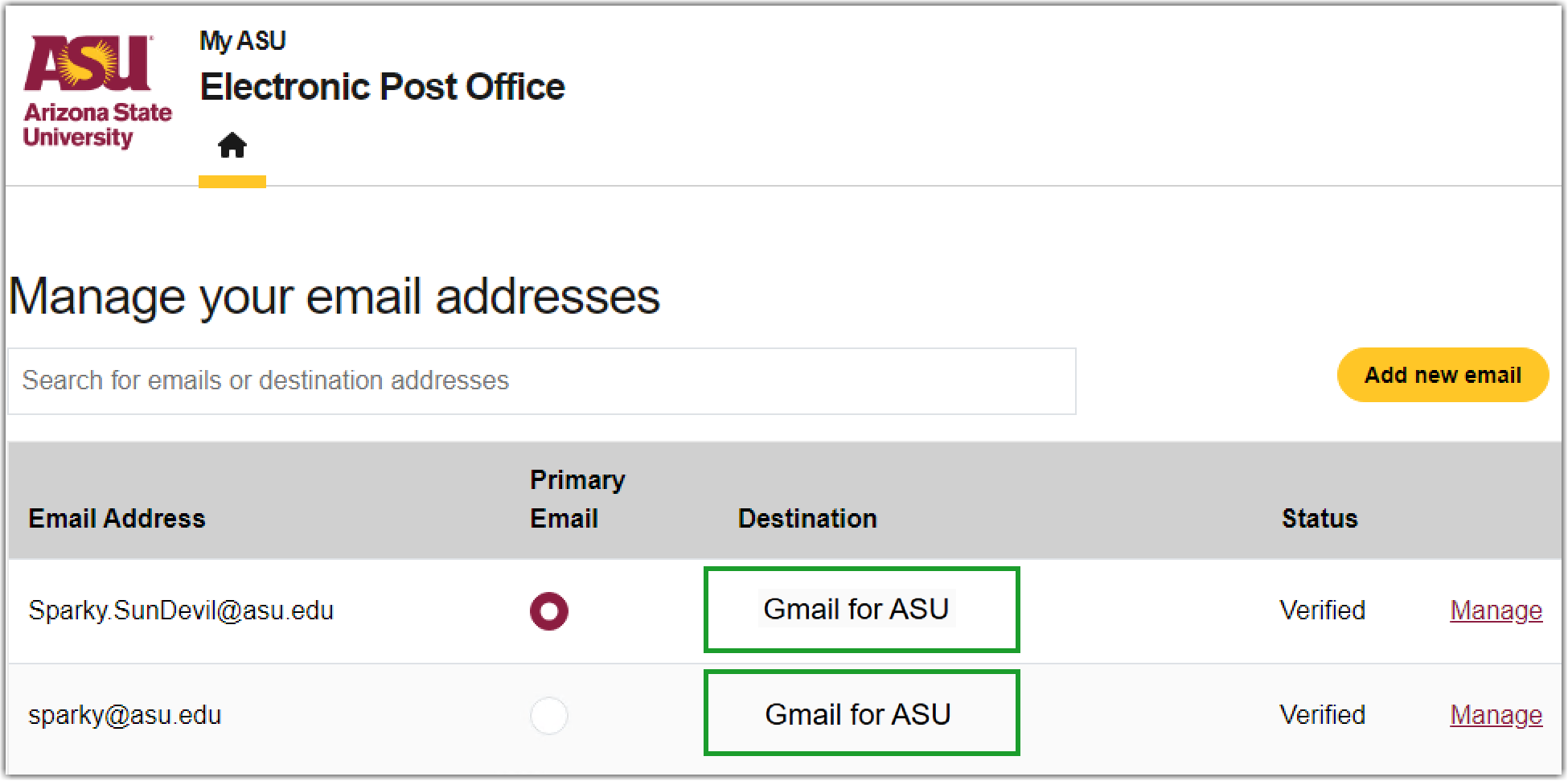
-
A verification email will be sent to your chosen account. Click on the link provided in the verification email to verify your choice and complete the change.
Related article: How to Add, Remove, or Change your @asu.edu Email Address or Aliases
Need additional help? Access 24/7 live chat, create a case from your My ASU Help tab or call 855-278-5080.
